
How to find a user’s Active Directory group memberships with PowerShell
Ein kurzer Überblick über die in diesem Artikel behandelten Themen.
Sometimes you need to identify every Active Directory group associated with a user, for example, when troubleshooting permissions or estimating the user’s Kerberos token size.
The short LDAP query
You will find plenty of examples online that use a short LDAP query like this:
$samAccountName = „a.azubi"
$username = $samAccountName
$dn = (Get-ADUser $username).DistinguishedName
Get-ADGroup -LDAPFilter („(member:1.2.840.113556.1.4.1941:=)" -f $dn) | select -expand Name | sort Name
This query is a useful starting point because the LDAP matching rule follows nested group relationships. However, it may not provide the complete picture in every environment. For example, the user’s primary group is not represented through the same member link, and local Windows group memberships are outside the scope of an Active Directory query.
Why results can differ
In our test environment, the command returned 26 Active Directory groups:
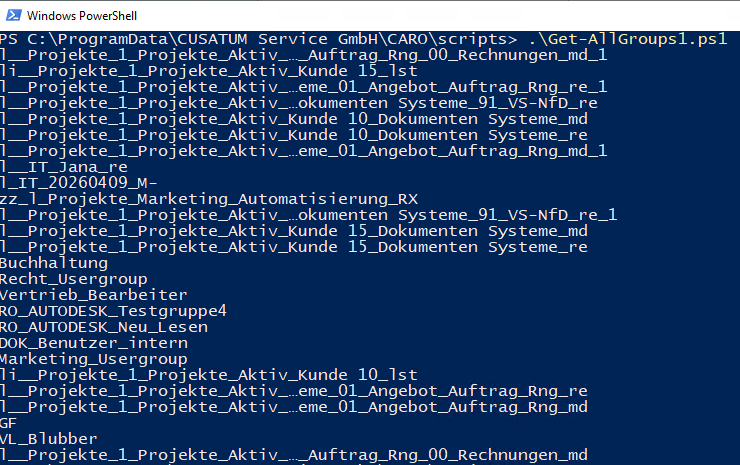
Output from the initial PowerShell query in our test environment
Accounts view in CARO-Suite with consolidated group memberships
CARO-Suite’s Account View displayed 33 group memberships for the same account:
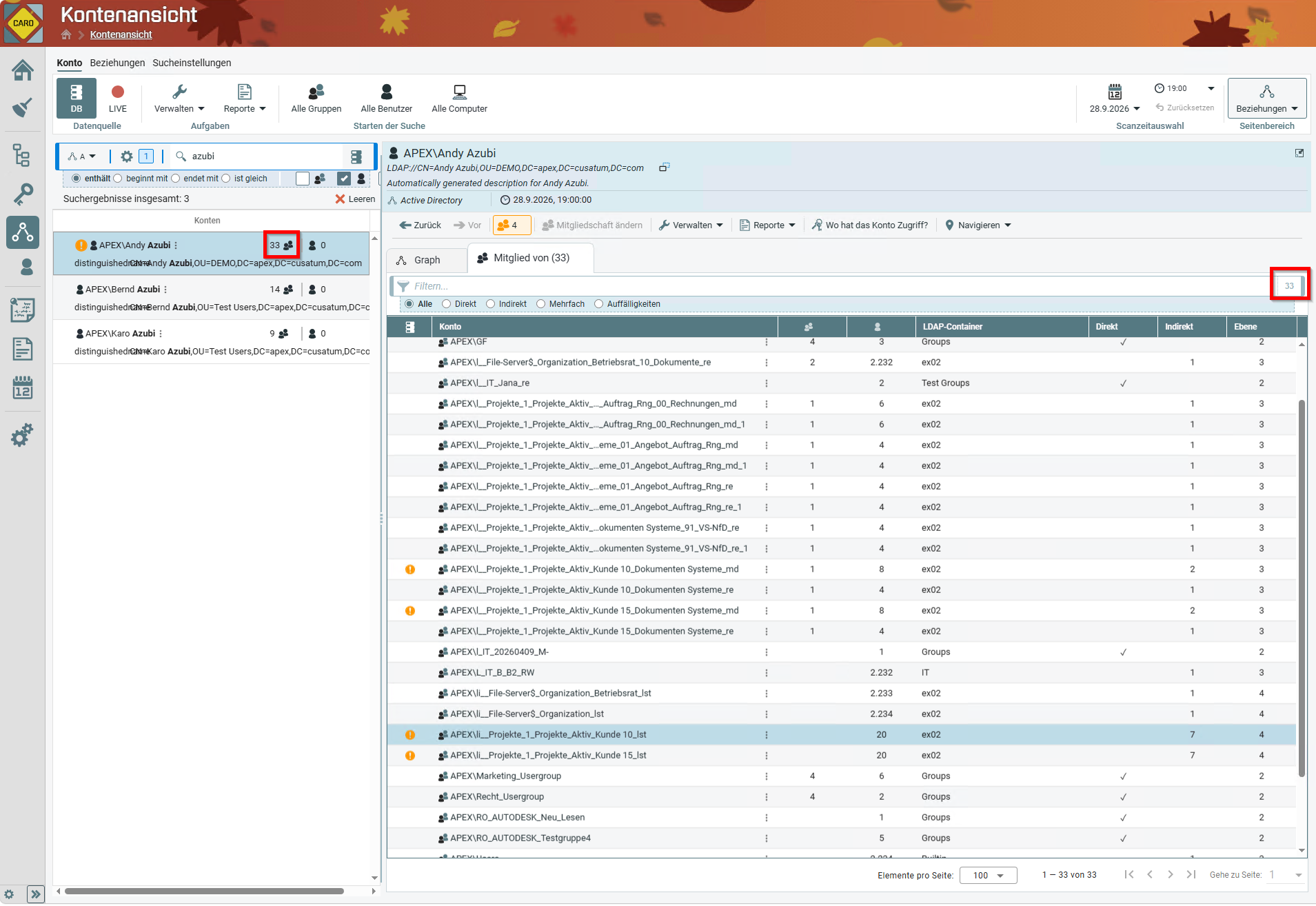
Membership overview for the same account in CARO-Suite
In this example, CARO-Suite reported 32 Active Directory group memberships plus one local group membership on a Windows computer. The initial Active Directory query returned 26 groups, leaving a difference of six Active Directory group memberships. CARO-Suite can consolidate membership information from connected systems through configured collectors, so its total may include data that an Active Directory-only query does not.
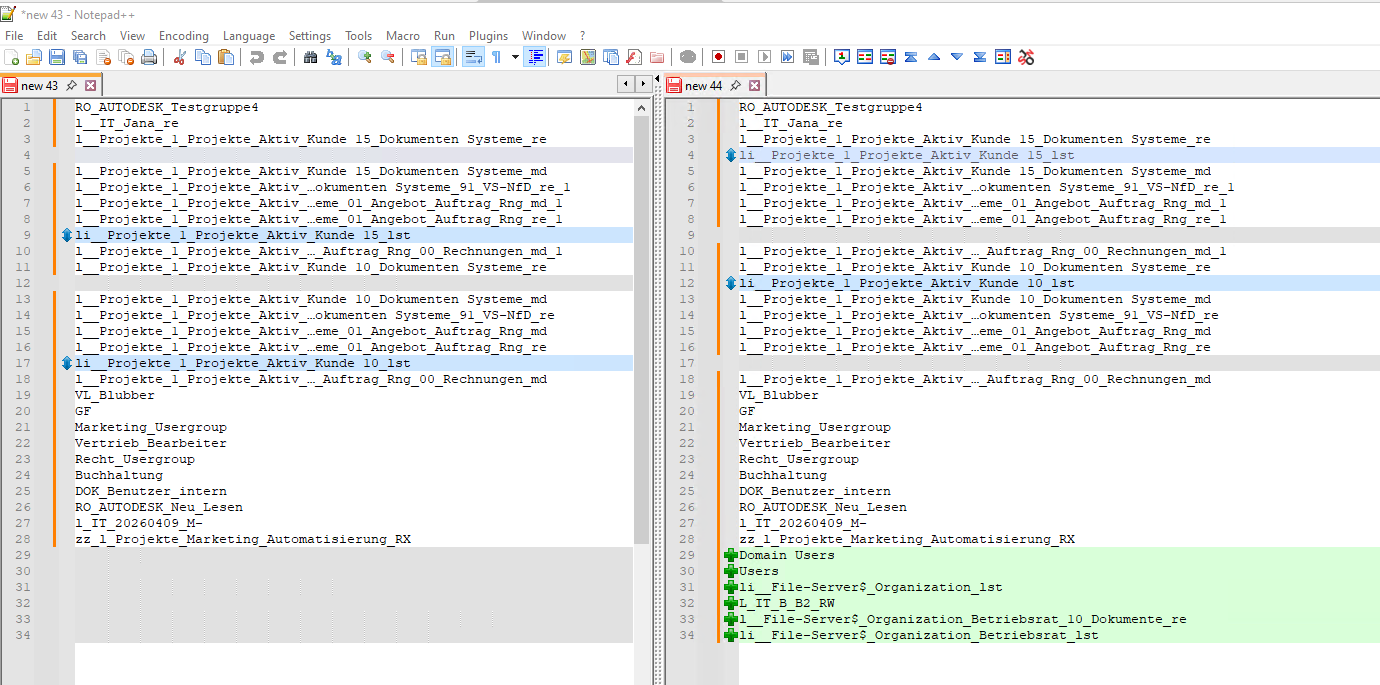
The comparison highlights six Active Directory groups missing from the initial output
An extended approach
For our environment, we extended the script so that it also includes the memberships missing from the first query. It combines the LDAP query with Get-ADPrincipalGroupMembership and recursively checks parent groups.
Before you run it: the sample requires the ActiveDirectory PowerShell module and a reachable Global Catalog. It queries Active Directory only; it does not enumerate local Windows group memberships. The recursive traversal is limited to five levels in this example, so review the depth setting for your own group structure and test the script in a non-production environment first.
$samAccountName = „a.azubi"
$global:groupList = New-Object System.Collections.ArrayList
function Get-GroupNameFromDn
…
´´
Here is the output from the extended script in our test environment:
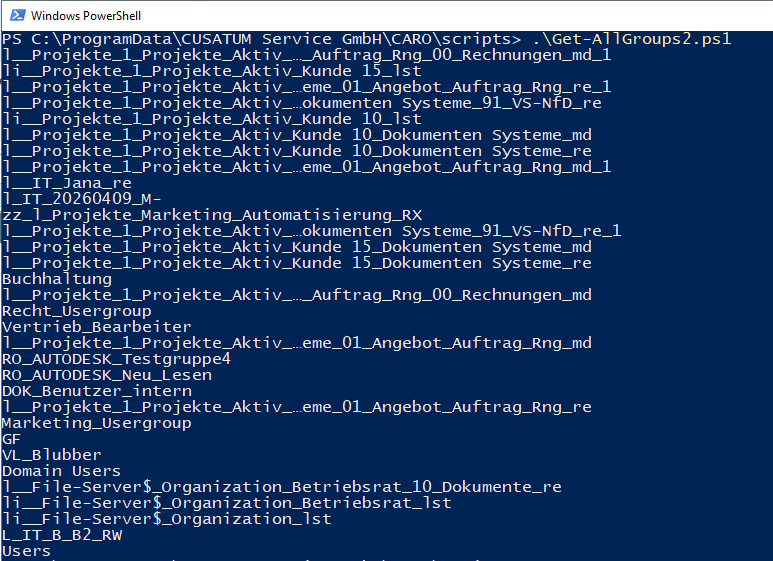
Output from the extended PowerShell script in our test environment.
A practical starting point
I hope this saves you some troubleshooting time. Feel free to use the script as a starting point and adapt it to your domain structure, nesting model, and reporting requirements.
If you want to analyze group memberships across Active Directory and other connected systems, CARO-Suite can help bring those relationships together in a single view.
Technical references
Artikel teilen
Ein kurzer Überblick über die in diesem Artikel behandelten Themen.
Weitere Artikel
September 30, 2026

September 30, 2026

Weitere Artikel
September 30, 2026
September 30, 2026